#Example 1
def multab(a,b):
    return a*b

x = multab(3,6)
print(x)18#Example 2
x = multab(a=5, b=3)
print(x)15#Example 3
def multab(a=1,b=1):
return a*b
x = multab()
print(x)1In this chapter, we discuss additional components of the Python language including functions, flow control, loops, modules, and reading and writing data from disk. This chapter builds upon the content presented in Chapter 1.
For a more detailed discussion of general Python, please consult W3Schools, which is a great resource for coders, scientists, and web developers.
Functions do something when called. We think of them as tools. Methods, which we will discuss in more detail later in this chapter, are like functions except that they are tied to a specific object. When creating a new class, you can define methods specific to the new class. Functions generally have the following generic syntax: output = function(Parameter1, Parameter2). In contrast, methods have the following generic syntax: output = object.method(Parameter1, Parameter2).
Below, we generate a simple function that multiplies two numbers together. The def keyword is used when defining a function. Within the parentheses, a list of parameters, which are often specific inputs or required settings, can be provided. In this case, the function accepts two parameters: a and b. On the next line, indented and after the colon, what the function does is defined. In this case, the function simply returns the product of the two values. The return keyword is used to define the output of the function (or what is returned), in this case the product of the two provided values.
Once a function is created, it can be used. In Example 1, we provide two arguments, or values assigned to the parameters, and save the result to a variable x.
When using a function, it is also possible to provide the arguments as key and value pairs, as in Example 2.
When creating a function, default arguments can be provided for parameters when the function is defined. If arguments are not provided when the function is used, then the default values will be used, as demonstrated in Example 3.
This is a good time to stop and discuss indentation. Python makes use of white space, indentations, or tabs to denote or interpret units of code. This is uncommon, as most other languages use brackets or punctuation of some kind. So, it is important to properly use indentations or your code will fail to execute correctly or at all.
#Example 1
def multab(a,b):
return a*b
x = multab(3,6)
print(x)18#Example 2
x = multab(a=5, b=3)
print(x)15#Example 3
def multab(a=1,b=1):
return a*b
x = multab()
print(x)1There are a few other options when defining functions that increase flexibility. For example, what if you wanted to edit the function created above so that it can accept more than two arguments and so that the number of arguments can vary? This can be accomplished using either *args or **kwargs.
A single asterisk (*) is used to unpack an iterable, such as a list, whereas two asterisks (**) are used to unpack a dictionary. Using *args allows you to provide a variable number of non-keyword arguments (in other words, each argument does not need to be assigned a key). In contrast, **kwargs is used to provide a variable number of keyword arguments (each argument must have a key).
In the first example below, we alter the function from above to accept two or more arguments. Within the function, we define a variable x1 that is initially assigned a value of 1. Then, inside of a for loop, which will be discussed below, we iteratively multiply x1 by the next provided value. To test the function, we feed it the values 1 through 5 as non-keyword arguments. The result is calculated as 1x1 –> 1x2 –> 2x3 –> 6x4 –> 24x5 –> 120. Note that the single asterisk is key here. The word “args” could be replaced with another term, as the second part of the example demonstrates. What is important is that * is used to unpack an iterable.
def multab(*args):
    x1 = 1
    for a in args:
        x1 *= a
    return x1

x = multab(1, 2, 3, 4, 5)
print(x)120def multab(*nums):
x1 = 1
for a in nums:
x1 *= a
return x1
x = multab(1, 2, 3, 4, 5)
print(x)120The next example demonstrates the use of **kwargs. Here, the arguments must have keys. Again, what is important here is the use of ** to unpack a dictionary: “kwargs” can be replaced with another term. Note the use of the values() method for a dictionary. This allows access to the values as opposed to the associated keys.
def multab(**kwargs):
    x1 = 1
    for a in kwargs.values():
        x1 *= a
    return x1

x = multab(a=1, b=2, c=3, d=4, e=5)
print(x)120def multab(**nums):
x1 = 1
for a in nums.values():
x1 *= a
return x1
x = multab(a=1, b=2, c=3, d=4, e=5)
print(x)120The next block of code demonstrates the use of the single asterisk to unpack an iterable, in this case a list. Each element in the list is returned separately as opposed to as a single list object. This is the same functionality implemented by *args.
x = [2,3,4,5]
print(*x)
2 3 4 5Lastly, it is possible to use both *args and **kwargs in the same function. However, *args must be provided before **kwargs. In the example below, the parameter a is provided an argument of 1 while the parameter b is provided an argument of 2. 3 is associated with *args, since it is not assigned a key, while the remaining values are associated with **kwargs since they are assigned keys.
def multab(a=2, b=2, *args, **kwargs):
    x1 = 1
    x1 *= a
    x1 *= b
    if args:
        for arg in args:
            x1 *= arg
    if kwargs:
        for kwarg in kwargs.values():
            x1 *= kwarg
    return x1

x = multab(1, 2, 3, c=3, d=4)
print(x)72As the examples above demonstrate, *args and **kwargs increase the flexibility of functions in Python by allowing for variable numbers of arguments. Even if you do not make use of these options, they are important to understand, as many functions that you encounter will make use of them. So, knowledge of this functionality will aid you in understanding how to implement specific functions and interpret the associated documentation.
A lambda function is a special function case that is generally used for simple functions that can be anonymous or not named. They can accept multiple arguments but can only include one expression. Lambda functions are commonly used inside of other functions.
lam1 = lambda a, b, c: str(a) + " " + str(b) + " " + str(c)
print(lam1("Geospatial", "Data", "Science"))
Geospatial Data ScienceVariables are said to have global scope if they can be accessed anywhere in the code. In contrast, local scope implies that variables are only accessible in portions of the code. For example, by default, new variables defined within a function cannot be called or used outside of the function. If you need to specify a variable within a function as having global scope, the global keyword can be used.
In the first example below, the variables xG, yG, and z have global scope, so they can be called and used outside of the function. In contrast, variables xL and yL have local scope and are not available outside of the function. If you attempt to run the last line of code, which is commented out, you will get an error.
xG = 2
yG = 3
def Func1(a, b):
    xL = a*a
    yL = b*b
    return xL + yL

z = Func1(xG, yG)
print(xG)2print(z)13#print(xL+3) will not work due to local scopeIf you need a variable declared inside of a function to have global scope, you can use the global keyword, as demonstrated below.
xG = 2
yG = 3
def Func1(a, b):
    global xL
    xL = a*a
    global yL
    yL = b*b
    return xL + yL

z = Func1(xG, yG)
print(xG)2print(z)13print(xL+3)7It is not possible to leave a function empty when it is defined. As you develop code, you can make use of the pass keyword as a placeholder before adding content to a function. This will allow you to work with your code without errors until you complete the content within the function. pass can also be used within incomplete class definitions and loops.
def multab(x, y):
passAll coding languages allow for control flow in which different code is executed depending on a condition. If…Else statements are a key component of how this is implemented. Using logical conditions that evaluate to True or False, it is possible to program different outcomes.
The first example uses only if. So, if the condition evaluates to True, the remaining code will be executed. If it evaluates to False, then nothing is executed or returned. In this case, the condition evaluates to True, so the text is printed.
Again, remember that indentation is very important in Python. The content of the if statement must be indented or the code will fail.
x = 7
if x > 6:
    print(str(x) + " is greater than 6.")
7 is greater than 6.It is common to have a default statement that is executed if the condition evaluates to False as opposed to simply doing nothing. This is the use of an else statement. No condition is required for the else statement since it will be executed for any case where the if condition evaluates to False. Again, note the required indentation.
x = 3
if x > 6:
    print(str(x) + " is greater than 6.")
else:
    print(str(x) + " is less than or equal to 6.")
3 is less than or equal to 6.What if you want to evaluate against more than one condition? This can be accomplished by incorporating one or multiple elif statements. The code associated with the else statement will only be executed if the if and all elif statements evaluate to False.
All statements should be mutually exclusive or non-overlapping so that the logic is clear. In the second example, we have changed the first condition to x >= 6, so now the conditions in the if and elif statements overlap. When the code is executed, the result from the if statement is returned. Since the first condition evaluated to True, the associated code was executed and the elif and else statements were ignored. If we swap the if and elif conditions, a different result is obtained. So, the order matters. In short, this ambiguity can be avoided by using conditions that are mutually exclusive and non-overlapping.
x = 6
if x > 6:
    print(str(x) + " is greater than 6.")
elif x == 6:
     print(str(x) + " is equal to 6.")
else:
    print(str(x) + " is less than 6.")
6 is equal to 6.x = 6
if x >= 6:
print(str(x) + " is greater than 6.")
elif x == 6:
print(str(x) + " is equal to 6.")
else:
print(str(x) + " is less than 6.")6 is greater than 6.x = 6
if x == 6:
print(str(x) + " is equal to 6.")
elif x >= 6:
print(str(x) + " is greater than 6.")
else:
print(str(x) + " is less than 6.")6 is equal to 6.While loops are used to loop code as long as a condition evaluates to True. In the example below, a variable i is initially set to 14. The loop executes as long as i remains larger than 7. At the end of each loop, the -= assignment operator is used to subtract 1 from i. Also, i is simply a variable, so you do not need to use i specifically. For example, i could be replaced with x.
One potential issue with a while loop is the possibility of an infinite loop in which the loop never stops because the condition never evaluates to False. For example, if we changed the assignment operator to +=, the condition would continue to evaluate to True indefinitely.
i = 14
while i > 7:
    print(i)
    i -= 1
14
13
12
11
10
9
8For loops will execute code for all items in a sequence. For loops make use of data types that are iterable, or that can return each individual element in the data object sequentially (for example, each string element in a list). Data types that are iterable include lists, tuples, strings, dictionaries, and sets.
In the first example below, a for loop is used to print every value in a list. In the next example, each character in a string is printed sequentially. Both lists and strings are iterable, so they can be looped over.
lst1 = [3, 6, 8, 9, 11, 13]
for i in lst1:
    print("Value is: " + str(i))
Value is: 3
Value is: 6
Value is: 8
Value is: 9
Value is: 11
Value is: 13str1 = "Remote Sensing"
for c in str1:
print(c)R
e
m
o
t
e
S
e
n
s
i
n
gCombining a for loop and If…Else statements allows for different code to be executed for each element in a sequence or iterable, such as a list, based on conditions, as demonstrated in the code below. Note the levels of indentation used, which, again, are very important and required when coding in Python. The content in the for loop is indented with one tab while the content within the if, elif, and else statements, which are included in the for loop, are indented with two tabs.
lst1 = [3, 6, 8, 9, 11, 13]
for i in lst1:
    if i < 8:
        print(str(i) + " is less than 8.")
    elif i == 8:
        print(str(i) + " is equal to 8.")
    else:
        print(str(i) + " is greater than 8.")
3 is less than 8.
6 is less than 8.
8 is equal to 8.
9 is greater than 8.
11 is greater than 8.
13 is greater than 8.The range() function is commonly used in combination with for loops. Specifically, it is used to define an index for each element in an iterable that can then be used within the loop.
In the example below, range() is used to define indexes for all elements in a list. The len() function returns the length of the list, in this case 4, so range() returns the indexes 0 through 3 (the last value is not included). This allows for the index to be used within the loop. In the example, the index is used to extract each element from the list and save it to a new local variable (country), which is then provided to a print statement.
countries = ["Belgium", "Mexico", "Italy", "India"]
for i in range(len(countries)):
    country = countries[i]
    print("I would like to visit " + country + ".")
I would like to visit Belgium.
I would like to visit Mexico.
I would like to visit Italy.
I would like to visit India.Another function that is commonly used in combination with for loops is enumerate(). For each element in the iterable, enumerate() will return an index and the element. Both can then be used within the loop.
In the first example below, enumerate() is used to create an index and extract each element in the list sequentially. In this case, the enumeration is not necessary since the index is not needed. However, in the next example, the index is used to print different results depending on whether the index is even or odd. So, enumerate() is needed because we need access to both the index and the data element within the loop.
countries = ["Belgium", "Mexico", "Italy", "India"]
for index, country in enumerate(countries):
    print("I would like to visit " + country + ".")
I would like to visit Belgium.
I would like to visit Mexico.
I would like to visit Italy.
I would like to visit India.countries = ["Belgium", "Mexico", "Italy", "India"]
for index, country in enumerate(countries):
if index%2 == 0:
print("I would like to visit " + country + ".")
else:
print("I would not like to visit " + country + ".")I would like to visit Belgium.
I would not like to visit Mexico.
I would like to visit Italy.
I would not like to visit India.There are some other useful techniques for flow control, code development, and error handling that we will not discuss in detail here. For example, try, except, and finally can be used to handle errors and provide error messages. break is used to terminate a loop based on a condition. continue can be used to skip the remaining steps in an iteration and move on to the next iteration in a loop.
List comprehension is a nice feature in Python. This technique allows you to create a new list from elements in an existing list and offers more concise syntax than accomplishing the same task using a for loop.
In the first example, we use list comprehension to return each element (c) in lst1 to a new list, lst2, if the string starts with the letter “B”. Here is how we would read the syntax within the square brackets:
“Return the element (c) from the list (lst1) if its first character is ‘B’.”
In the second example, no condition is used. Instead, we concatenate “I would like to visit” to each country and return each result as an element in a new list.
You will see examples of list comprehension in later chapters. It is a very handy technique.
lst1 = ["Belgium", "Mexico", "Italy", "India", "Bulgaria", "Belarus"]
lst2 = [c for c in lst1 if c[0] == "B"]
print(lst2)
['Belgium', 'Bulgaria', 'Belarus']lst1 = ["Belgium", "Mexico", "Italy", "India", "Bulgaria", "Belarus"]
lst2 = ["I would like to visit " + c for c in lst1]
print(lst2)['I would like to visit Belgium', 'I would like to visit Mexico', 'I would like to visit Italy', 'I would like to visit India', 'I would like to visit Bulgaria', 'I would like to visit Belarus']In Python, f-strings can be used to format printed strings or include variables within strings. This technique can be useful for generating well-formatted and useful print statements or dynamically using variables in printed strings.
In the first example, we print x but with formatting defined to round to two decimal places. In the next example, we multiply x by itself in the printed string. Note that f-strings begin with f followed by the statement inside of quotes. Variables or code are placed in curly brackets, and formatting can be defined using syntax after a colon. In the first example, :.2f indicates to round to two decimal places.
In the third example, we call x in a statement while in the fourth example we use the upper() method to convert the string to all uppercase in the printed statement. Lastly, we edit the enumerate() example from above with an f-string to print the country name and assigned index in the for loop.
Throughout this book, you will see examples of f-strings for providing better formatted and/or more interpretable print output.
x = 0.123456789
print(f'The value is {x:.2f}')
The value is 0.12x = 6
print(f'{x} times {x} is equal to {x*x}')6 times 6 is equal to 36x = "blue"
print(f'My favorite color is {x}.')My favorite color is blue.x = "blue"
print(f'My favorite color is {x.upper()}.')My favorite color is BLUE.countries = ["Belgium", "Mexico", "Italy", "India"]
for index, country in enumerate(countries):
print(f'The index for {country} is {index}.')The index for Belgium is 0.
The index for Mexico is 1.
The index for Italy is 2.
The index for India is 3.We briefly mentioned classes in Chapter 1. Here, we provide a more in-depth discussion. Since Python is an object-oriented language, it is important to be able to define different types of objects. Classes serve as blueprints for creating new types of objects. Thus, the concept, use, and application of classes is very important in Python.
To create a new class, you must use the class keyword. Here, we generate a new class called Course. To construct a class, you must use the __init__() function. Within this function, you can assign values to object properties, and __init__() will be executed any time a new instance of the class is created. When we create an instance of our Course class, three properties will be initiated: the subject code, course number, and course name. self references the current instance of the class. Although you can use a term other than self, self is the standard term used. Regardless of the term used, it must be the first parameter in __init__().
After the __init__() function, we define a method that will be associated with the class. This method, printCourse(), will print the course name. Again, methods are functions that are associated with an object or class. In order to use the method, we must first create an instance of the class and provide arguments for the required parameters. We can then apply the method to the instance to print the course information.
Once an instance of a class is created, the arguments assigned to properties can be changed using the following generic syntax: instance.property = new_argument. Here, we change the number property of the x instance of the Course class to 350. We then use our printCourse() method again.
class Course:
    def __init__(self, subject, number, name):
        self.subject = subject
        self.number = number
        self.name = name
    def printCourse(self):
        print("Course is " + self.subject + " " + str(self.number) + ": " + self.name)

x = Course("Geography", 550, "GIScience")
x.printCourse()
Course is Geography 550: GISciencetype(x)
x.number = 350
x.printCourse()Course is Geography 350: GIScienceOnce a class is created, subclasses can be derived from it. By default, subclasses will take on the properties and methods of the parent or superclass. However, you can alter or add properties and methods. This allows you to start with a more generic blueprint and refine it for a specific use case as opposed to building a new class from scratch.
In the example below, we redefine the Course class and then subclass it to create the Undergrad class. We add a parameter, which requires redefining the __init__() function. The super() function provides access to the methods of the parent class; here, it is used to call the parent class’s __init__() function so that the original properties are assigned. The use of super() provides control over what is inherited by the child class from the parent. We will not explore all possible use cases here. We then define a new method called printCourse2().
Once an instance of the Undergrad class is created, we can use both methods since the printCourse() method was inherited from the parent class.
class Course:
    def __init__(self, subject, number, name):
        self.subject = subject
        self.number = number
        self.name = name
    def printCourse(self):
        print("Course is " + self.subject + " " + str(self.number) + ": " + self.name)

class Undergrad(Course):
    def __init__(self, subject, number, name, level):
        super().__init__(subject, number, name)
        self.level = level
    def printCourse2(self):
       print("Undergrad Course is " + self.subject + " " + str(self.number) + ": " + self.name + ". " + "Must be a " + self.level + " to take this course.")

x = Undergrad("Geography", 350, "GIScience", "Juniors")
x.printCourse()
Course is Geography 350: GISciencex.printCourse2()Undergrad Course is Geography 350: GIScience. Must be a Juniors to take this course.You will not be required to create classes and subclasses to work through this book. However, it is important to understand this functionality of Python for making use of modules and libraries, as it is used extensively. For example, the PyTorch library, which is used for deep learning, makes extensive use of classes, and using it requires subclassing available classes.
The functionality of Python is expanded using modules. Modules represent sets of code and tools and are combined into libraries. In this book, we explore several libraries used for data science including NumPy, Pandas, matplotlib, and scikit-learn.
As an introduction to modules and libraries, we will now explore the math module. To use a module, it first needs to be imported. You can then use the functions provided by the module. When using a function from the math module, you must include the module name, as demonstrated below.
import math

x = 4.318
print(math.cos(x))-0.3842441480045495print(math.sin(x))-0.9232315174019233print(math.tan(x))2.4027210881322056print(math.sqrt(x))2.0779797881596442print(math.log10(x))0.6352826379982119print(math.floor(x))4You can also provide an alias or shorthand name for the module when importing it by using the as keyword. This can be used to simplify code.
import math as m

x = 4.318
print(m.cos(x))-0.3842441480045495print(m.sin(x))-0.9232315174019233print(m.tan(x))2.4027210881322056print(m.sqrt(x))2.0779797881596442print(m.log10(x))0.6352826379982119print(m.floor(x))4If you want to import each individual function from a module and not need to use the module name or alias in your code, you can use the import syntax demonstrated below. This is generally best avoided, especially if the module is large and/or has many functions.
from math import *

x = 4.318
print(cos(x))-0.3842441480045495print(sin(x))-0.9232315174019233print(tan(x))2.4027210881322056print(sqrt(x))2.0779797881596442print(log10(x))0.6352826379982119print(floor(x))4You can also import individual functions or subsets of functions as opposed to the entire module.
from math import cos, sin
x = 4.318
print(cos(x))-0.3842441480045495print(sin(x))-0.9232315174019233As a data scientist or geospatial data scientist, you will need to be able to use Python to work with and analyze files on your local machine. First, a file or folder path can be assigned to a variable. On a Windows machine, you will need to either (1) change the backslashes to forward slashes or (2) use the backslash escape character ahead of any backslash.
txt1 = "datasets/text_files/t1.txt" #Must change backslash to forward slash
txt1 = "datasets\\text_files\\t1.txt" #Or, use the backslash escape character
Specific modules or libraries allow you to read in and work with specific types of data. For example, in the code below, we use Pandas to read in a comma-separated values (CSV) file as a Pandas DataFrame. We discuss Pandas in Chapter 4.
import numpy as np
import pandas as pd
movies_df = pd.read_csv("datasets/matts_movies.csv", sep=",", header=0, encoding="ISO-8859-1")
movies_df.head(10)
Movie Name Director ... Genre Own
0 Almost Famous Cameron Crowe ... Drama Yes
1 The Shawshank Redemption Frank Darabont ... Drama Yes
2 Groundhog Day Harold Ramis ... Comedy Yes
3 Donnie Darko Richard Kelly ... Sci-Fi Yes
4 Children of Men Alfonso Cuaron ... Sci-Fi Yes
5 Annie Hall Woody Allen ... Comedy Yes
6 Rushmore Wes Anderson ... Independent Yes
7 Memento Christopher Nolan ... Thriller Yes
8 No Country for Old Men Joel and Ethan Coen ... Thriller Yes
9 Seven David Fincher ... Thriller Yes
[10 rows x 6 columns]The example below demonstrates one of many methods for reading in an image and adding it to the display.
from matplotlib import pyplot as plt
import cv2

img = cv2.imread("datasets/sentinel2.JPG")
plt.imshow(img)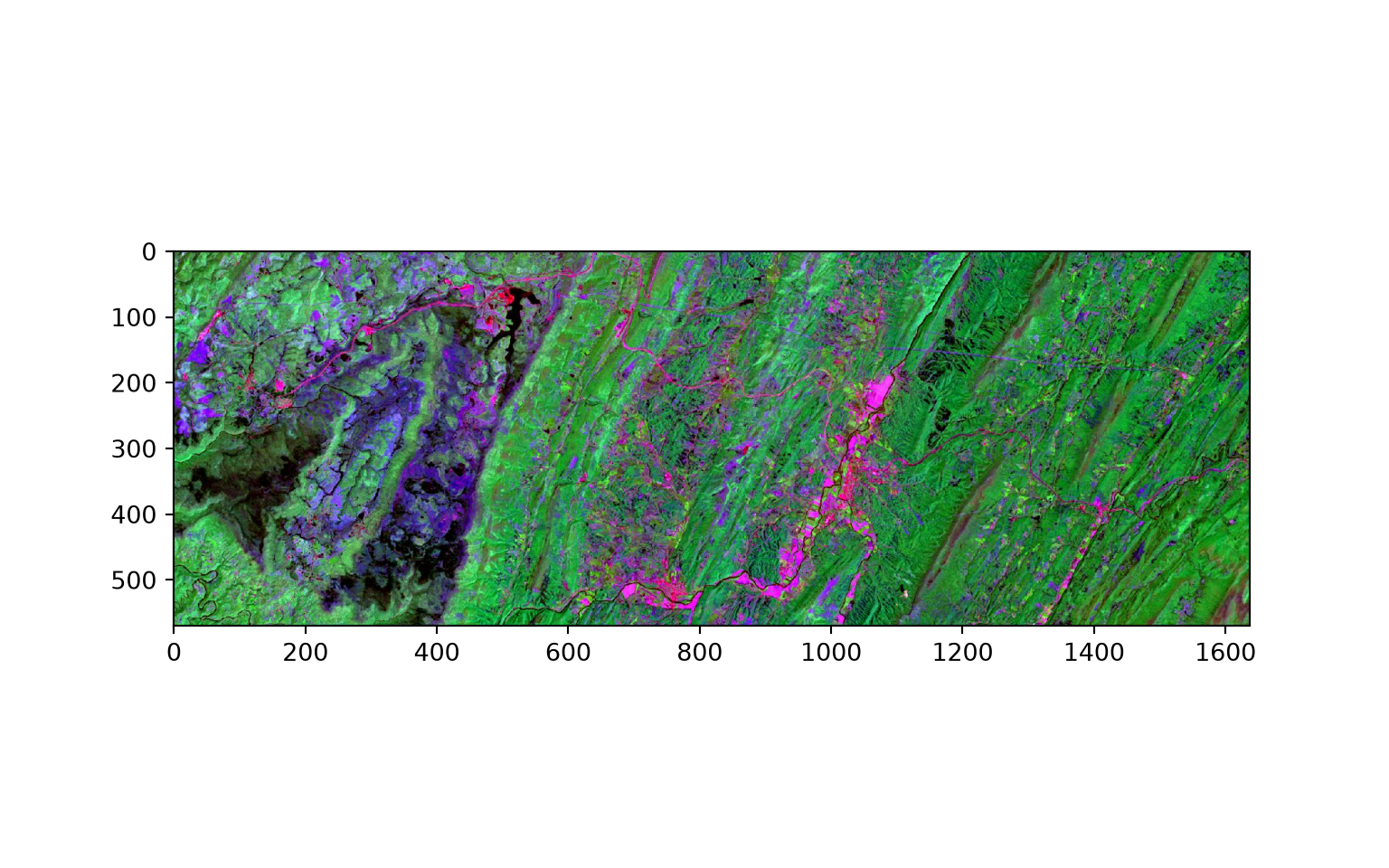
Instead of reading in individual files, you may want to access entire lists of files in a directory. The example below demonstrates one method for accomplishing this using the os module and list comprehension. Specifically, it finds all TXT files in a directory and writes their names to a list.
Only the file name is included in the generated list, so we use additional list comprehension to add the full file path and generate a new list.
import os

direct = "datasets/text_files"

files = os.listdir(direct)
files_txt = [i for i in files if i.endswith('.txt')]
print(files_txt)
['t1.txt', 't10.txt', 't2.txt', 't3.txt', 't4.txt', 't5.txt', 't6.txt', 't7.txt', 't8.txt', 't9.txt']txtlst = [direct + "/" + s for s in files_txt]
print(txtlst)['datasets/text_files/t1.txt', 'datasets/text_files/t10.txt', 'datasets/text_files/t2.txt', 'datasets/text_files/t3.txt', 'datasets/text_files/t4.txt', 'datasets/text_files/t5.txt', 'datasets/text_files/t6.txt', 'datasets/text_files/t7.txt', 'datasets/text_files/t8.txt', 'datasets/text_files/t9.txt']The code below demonstrates three other methods for reading in a list of TXT files from a directory. The first method uses the listdir() function from the os module, the second uses the walk() function from the os module (which allows for recursive searching within subdirectories), and the last method uses the glob module.
You will see many other examples in this book of how to read files and lists of file names.
from os import listdir

def list_files1(directory, extension):
    return (f for f in listdir(directory) if f.endswith('.' + extension))

from os import walk

def list_files2(directory, extension):
    for (dirpath, dirnames, filenames) in walk(directory):
        return (f for f in filenames if f.endswith('.' + extension))

from glob import glob
from os import getcwd, chdir

def list_files3(directory, extension):
    saved = getcwd()
    chdir(directory)
    it = glob('*.' + extension)
    chdir(saved)
    return it

direct = "datasets/text_files"
method1 = list(list_files1(direct, "txt"))
method2 = list(list_files2(direct, "txt"))
method3 = list_files3(direct, "txt")
print(method1)
['t1.txt', 't10.txt', 't2.txt', 't3.txt', 't4.txt', 't5.txt', 't6.txt', 't7.txt', 't8.txt', 't9.txt']print(method2)['t1.txt', 't10.txt', 't2.txt', 't3.txt', 't4.txt', 't5.txt', 't6.txt', 't7.txt', 't8.txt', 't9.txt']print(method3)['t1.txt', 't10.txt', 't2.txt', 't3.txt', 't4.txt', 't5.txt', 't6.txt', 't7.txt', 't8.txt', 't9.txt']Our goal here was to further discuss key characteristics of the Python language. Again, W3Schools is a great resource for coders, scientists, and web developers if you want to explore additional examples and topics.
You likely do not feel comfortable with general Python yet. However, you will get practice while working through the remaining chapters. We think you will find that a good grasp of the basics can go a long way.
In the next two chapters, we discuss two libraries that are central to data science in Python: NumPy (Chapter 3) and Pandas (Chapter 4).
*args and **kwargs. How do they differ?__init__() method and self when defining a class. What is a subclass?from math import *?45 Points scaled to 20 Points
This assignment asks you to perform simple tasks using control flow and/or loops. Complete each task using either Python or R. No data are required to complete this assignment.
Implement control flow in code to obtain desired results
Implement loops to iterate over data
Task 1: Create an If…Else statement that will test whether a number is divisible by three. “YOUR VALUE is divisible by 3” should be printed if the value is divisible by three. “YOUR VALUE is not divisible by three” should be printed if it is not divisible by three. Test the statement on a numeric variable. Upper case text in the print statement should be replaced with the tested number. (5 Points)
Task 2: Create an If…Else statement that will test whether a number is divisible by three and four. “YOUR VALUE is divisible by 3 and 4” should be printed if the value is divisible by three and four. “YOUR VALUE is not divisible by three and four” should be printed if it is not divisible by three and four. Test the statement on a numeric variable. Upper case text in the print statement should be replaced with the tested number. (5 Points)
Task 3: Create an If…Else statement that will test whether a type of fruit, represented as a text string, is in a list or vector of acceptable fruits (apple, orange, pear, kiwi, or strawberry). If the fruit is in the list or vector, the following should be printed: “YOUR FRUIT is acceptable.” If not, then the following should be printed: “YOUR FRUIT is not acceptable.” Upper case text in the print statement should be replaced with the tested fruit. (5 Points)
Task 4: Create an If…Else statement that will test whether a type of fruit, represented as a text string, is a citrus fruit (orange, grapefruit, mandarin, or lime), a tropical fruit (banana or mango), or a berry (strawberry, raspberry, blueberry, kiwi, or passionfruit). If the fruit is in one of these lists, a print statement should be returned that indicates the type of fruit. If it is not in any of these lists, the print statement should indicate that the fruit is not a citrus fruit, tropical fruit, or berry. (5 Points)
Task 5: Edit your code for Task 4 so that it is not sensitive to the letter case. (5 Points)
Task 6: Edit your result for Task 5 so that a list of fruits can be tested. This will require using both a for loop and an If…Else statement. You will need to create a list or vector of fruits to test the code. There should be a separate print statement for each element in the list. (5 Points)
Task 7: Create a new list or vector that contains all of your fruits from your example list in Task 6 but converted to all upper case. If using Python, this can be accomplished with list comprehension. (5 Points)
Task 8: Repeat Task 7 but only have upper case versions of the fruit names printed to the new list or vector if the fruit is a berry. All other fruit types should not be returned to the list or vector. (5 Points)
Task 9: Create a list or vector of items. Have all odd indexed items save to a new list or vector and all even indexed items save to a different list or vector. Note that enumerate() will be useful here if you are working in Python. If you are working in Python, the first item in the list should be treated as index 1 as opposed to 0 in the logic. R treats the first element in the vector as index 1 by default. (5 Points)
30 Points scaled to 20 Points
This assignment focuses on using for loops to iterate over files and/or directories to automate repetitive tasks. You have been provided with a folder containing CSV files representing satellite data collected at different plot locations within the extent of a forest fire (“plots”). You will merge all the provided CSV files into a single CSV file containing all of the records. Next, you have been provided with a folder containing pictures taken in Acadia National Park (“pics”). You will iterate over these pictures to reduce their size, convert them to grayscale, and save the results back to disk. Lastly, you will use loops to create directories and subdirectories in which to store results.
Use for loops
Read and write files to disk from code
Create folders and directories from code
Perform basic file reading, processing, and writing
This assignment can be conducted using either Python or R, whichever you prefer or whichever your instructor requires. Generate code to perform the following tasks.
Task 1. Write code that will read all of the CSV files from the “plots” folder and combine them into a single file. Once you have obtained the single file, write it back to disk. All the CSV files have the same columns. Each row represents a satellite image observation on a certain date while each file represents all data for a specific plot. Your final file should contain all observations for each site in the same file. (10 Points)
Task 2. Loop through the images in the “pics” folder and perform the following operations on each image: (1) resize the image to 1232-by-812 pixels, (2) convert the image from RGB to grayscale, and (3) save the result back to disk in a new directory. In Python, you can use the Pillow library (imported as PIL). (10 Points)
Task 3. Use for loops to create 10 empty sub-directories inside of a main folder. Within each subdirectory, create 100 folders. You can choose the naming convention of the folders. (10 Points)
30 Points scaled to 20 Points
In this assignment, you will create functions to perform defined tasks then test your results on example data. No data files are required to complete this assignment.
Create functions
Define function parameters
Use control flow and/or loops within functions
Task 1: Create a function that will accept two words and concatenate them to a single string with a space between the two words. Test the function on two string variables. (5 Points)
Task 2: Edit your function so that it will accept two or more words, concatenate them with spaces, and return the new, single string. You will need to use *args if you are working in Python. (5 Points)
Task 3: Create a function that will calculate the length of the hypotenuse of a triangle if given the length of the other two sides (i.e., Pythagorean Theorem). The function should accept two arguments, the length of the two leg sides, and return a single value: the hypotenuse length. In Python, you can use functions from the math module. This can be accomplished with base functions in R. (5 Points)
Task 4: Write a function that will convert a Celsius temperature measurement to Fahrenheit or a Fahrenheit measurement to Celsius. It should accept the temperature and the unit of measurement as a string and return the new temperature. Use the unit variable to define the conditions. (5 Points)
Task 5: Expand your function above so that you can convert Fahrenheit, Celsius, or Kelvin to any of the two other scales. It should accept the temperature, the current units, and the desired units and return the new temperature. Use the unit variables to define the conditions. (10 Points)
40 Points scaled to 20 Points
In this assignment, you will create functions to perform defined tasks then test your results on example data. No data files are required to complete this assignment.
Create functions
Define function parameters
Use control flow and/or loops within functions
Task 1: Create a function that will calculate the amount of a tip if provided the cost of the meal and the tip percentage. (5 Points)
Task 2: Create a function that will calculate the area of a cylinder if provided the cylinder’s radius and height. (5 Points)
Task 3: Create a function to convert between any of the following units for measuring pressure: Pascals (Pa), pounds per square inch (PSI), atmospheres (atm), and Torr. This will require using control flow. The function should accept arguments for Value, Input Units, and Output Units parameters. Test your function on an example pressure measurement. (10 Points)
Task 4: Create a function that will calculate the dominant wavelength of radiation released by a body based on the body’s temperature using Wien’s Law. The user should be able to define the units of the output as either centimeters, micrometers, or nanometers. This will require using flow control. (10 Points)
Task 5: Create a function that will calculate the wavelength of electromagnetic radiation if provided the frequency or the frequency if provided the wavelength. The user must provide the frequency in Hz and can provide the wavelength in centimeters, micrometers, or nanometers. The function will need to include control flow and have parameters to specify the mode (Frequency Wavelength or Wavelength Frequency) and the units of measurement for wavelength. (10 Points)